Git and deploys
Get code onto a server from GitHub, GitLab, Forgejo or another Git host, build it, and restart what runs it.
1. Add a Git account
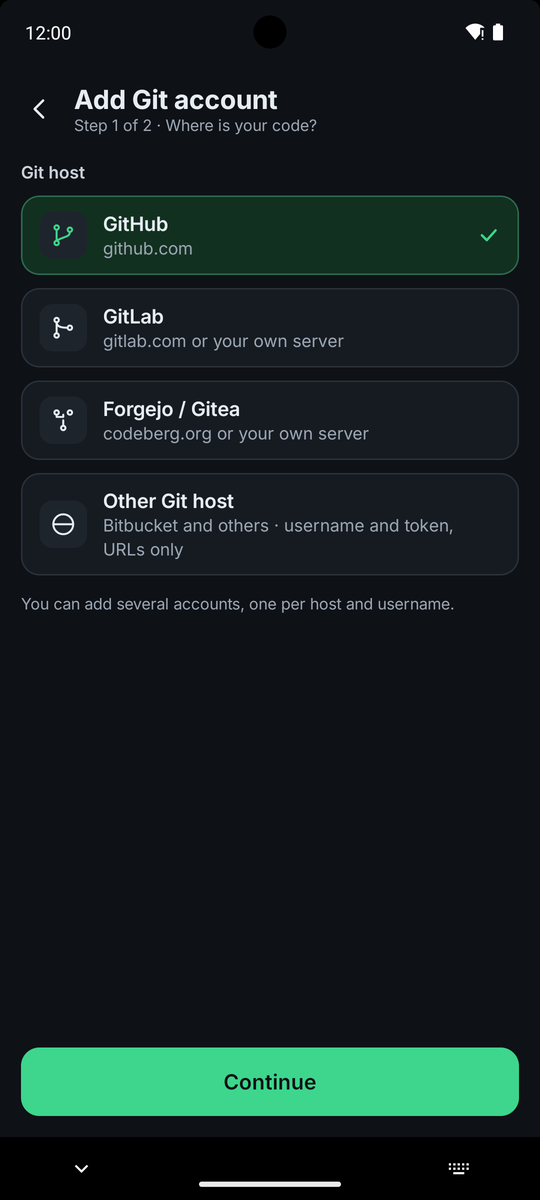
Go to Settings → Git accounts and tap Add account. Choose the host: GitHub, GitLab (gitlab.com or your own address, https only), Forgejo / Gitea (starts as codeberg.org, or your own address) or Other Git host such as Bitbucket.
Paste a personal access token. Use a read-only token if the host offers one, and on GitHub a fine-grained token limited to the repositories you deploy. VpsPilot checks the token and shows who it belongs to before it saves anything. Other hosts need a username and a password or token, and a repository address to check them with.
2. Where the token lives
The account's token is saved on this phone only, encrypted with Android Keystore. In a normal run it goes to the server for that run only and is not stored. Two things store a token on the server: a schedule you give a token to (a root-only file), and Git login on this server. Exporting app data leaves every token out. Tokens are checked at most once a day and before each Git run, and the screen warns you when one is about to expire or has stopped working.
3. Pick a repository
In a Git workflow, Pick a repository lists the repositories your token can read, most recently pushed first. You can search, tap Load more, then pick a branch (the default branch is chosen for you) and tap Use this repository. The list comes from the host to your phone. Nothing is sent to the server yet.
Accounts for other hosts have no list. Paste the repository address into the workflow instead. A public repository needs no account.
4. Pull, build and deploy
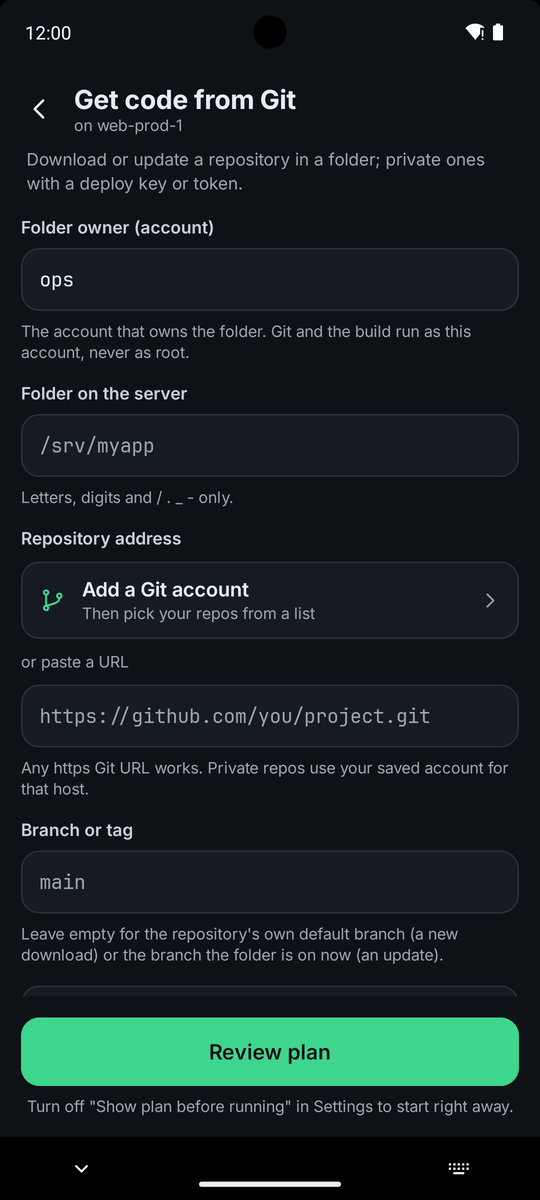
Three workflows build on each other. Get code from Git downloads a repository into a folder, or updates it. Build and run from a folder detects how the project is built, shows you what it found, builds it as the folder's owner and can restart a service or a Compose stack. Deploy from Git does pull, build and restart in one run, and can be scheduled to deploy on a timer.
Git and the build run as the account you name as the folder's owner, not automatically as root. If you log in as root, change the default, or they run as root. For a private repository you can use a deploy key (recommended: the workflow makes a key on the server and shows its public half to add as a read-only deploy key) or an access token for that run. If the folder has local changes, the update stops by default. You can choose to stash them, or to discard them, which is marked as dangerous.
For a server that should pull on its own, for example from cron, the Git login on this server workflow saves a token on that server. You can see or remove it later with the same workflow.